


Key Roles How we collaborate
What we do Supporting the Transition into University Life
College is a major milestone for students and for the people who support them. As students move into this new chapter, they take on the responsibility for their learning, communication, and access needs. As students assume this new role, your encouragement behind the scenes continues to matter and is highly valued.
What is the ATRC, and how does it help?
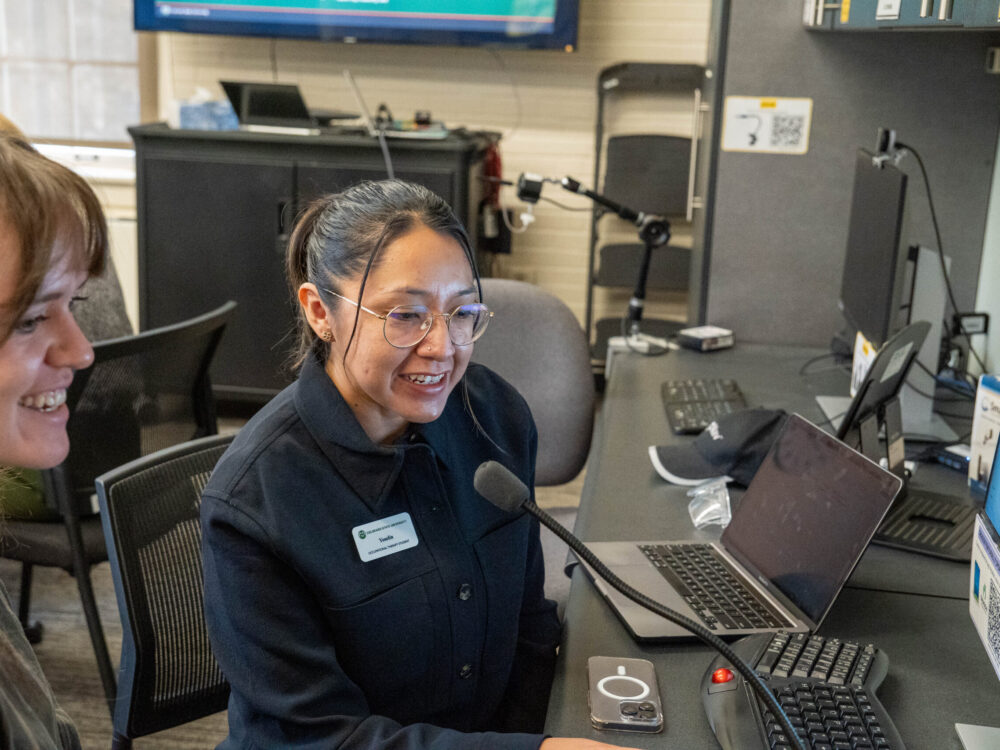
The Assistive Technology Resource Center (ATRC) at Colorado State University supports access to technology and electronic information for students with disabilities. ATRC staff meet individually with students to provide consultation, assessment, and training on assistive and mainstream technologies. The center also loans software and hardware that support academic work and campus participation.
Student Privacy and FERPA
As students begin connecting directly with campus services, it is also helpful to understand how student privacy and communication work in a university setting. Under the Family Educational Rights and Privacy Act (FERPA), students manage access to their educational records. The ATRC supports this step as it aligns with building independence and self-advocacy skills that will serve students throughout college and beyond. If a student wants to include a family member in their ATRC appointment, they can make that request. They just need to complete the release of information/records section on ATRC’s Student Authorization Document.
The step-by-step process How student participation works
Step 1: Meet with the Student Disability Center (SDC)
- Students discuss accommodations eligibility with the SDC and may be referred to ATRC for assistive technology needs.
Step 2: Schedule an ATRC Appointment
- Students schedule an appointment with the ATRC and prepare to discuss academic tasks and areas of need – such as reading, writing, note-taking, time management, organization, and/or computer access.
Step 3: Meet with ATRC and Receive Training
- Students meet one‑on‑one with ATRC staff to explore technology options, identify assistive technology (AT) that works for them, and receive training.
Step 4: Use, Borrow, and Revisit Services
- Students use assistive technology in their coursework, borrowing software and hardware as needed and available. They can visit us again for additional support or adjustments over time.

How can I help with participation?
If your student receives a referral for assistive technology supports, encourage them to schedule an appointment with the ATRC and to regularly check their CSU email for follow‑up communication. Below is an optional support list. Every student is different, so use what fits best.
Optional Support Checklist
- Review your student’s disability documentation and past accommodations together to build understanding and context. Talk about what worked and where new support would be helpful.
- Ask about past experiences with assistive technology in K-12 settings, or talk openly if assistive technology is new to them. This is common and completely okay.
- Look over any resource guides shared in referral emails together and help your student think ahead about possible tools.
- Support your student in writing down questions or topics they want to discuss during their ATRC appointment.
- Check in about how your student tracks important information (appointments, follow‑ups, software access, AIM login details) and help them set up simple systems if helpful.
Frequently Asked Questions
When should a student connect with ATRC?
Students can request an ATRC appointment anytime after receiving a referral from the Student Disability Center. The beginning of each semester is often busy, so ATRC encourages students to schedule with that in mind. If a student is unsure, they can always contact us. We can answer their questions!
Should a student know exactly what they need before meeting with ATRC?
No. ATRC appointments are designed to help students explore options and better understand their needs. Families and supporters can help with this process by encouraging openness and curiosity rather than expecting certainty.
What if a student has never used assistive technology before?
This is very common. ATRC regularly works with students who are new to assistive technology. Families and supporters can help by reassuring students that new environments often call for new tools.
How many appointments are needed to start using AT?
This process is typically completed in two one‑hour sessions. Appointments are offered in-person or online.
Can students continue working with ATRC over time?
Yes. Students are encouraged to return as coursework, confidence, or needs change. Families can reinforce that seeking support over time is part of effective self‑advocacy.
Is there a fee for ATRC’s services?
No. Our services are covered by CSU’s student technology fees. Many of the software tools we recommend are free. We also offer short-term loans for hardware items, depending on need and availability.
Does AT change academic requirements?
Assistive technology tools support equal access to course materials and learning, but they do not change course requirements or academic standards. Students should carefully review their course syllabus, understand their accommodations, and ask follow-up questions as needed.
How involved should families be?
Families remain an important source of encouragement and support. At the same time, college is a transition toward independence. A supportive approach is to:
- Talk with students rather than for them
- Encourage students to ask questions and follow up directly
- Support problem-solving, even when the process feels unfamiliar